Create a job and assign your crew
Every job starts here — Field Work → Jobs → New Job (or the button on the Jobs list).
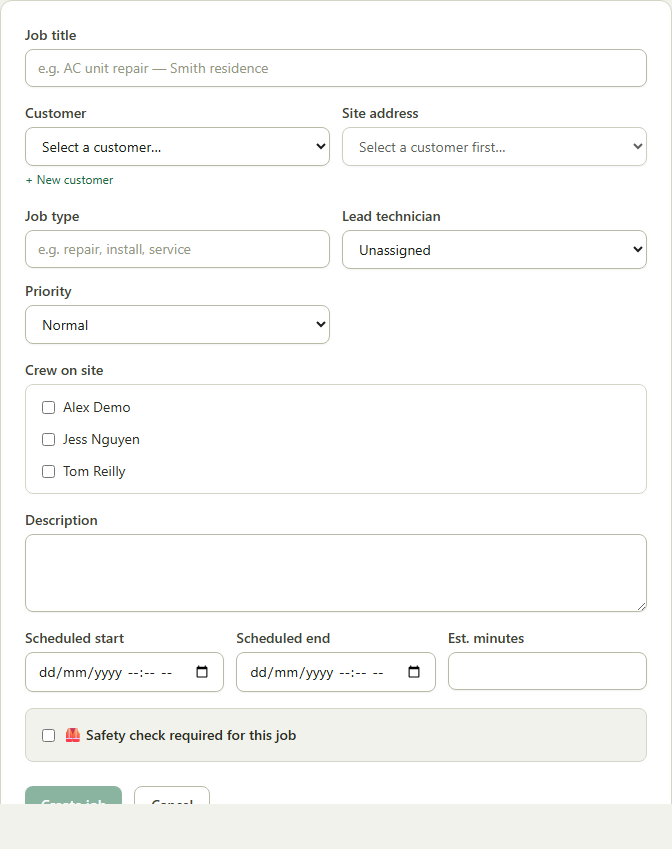
- 1Open Field Work → Jobs, then New Job.
- 2Pick the Customer and, if they have one on file, the Site address.
- 3Set a job title, job type and priority (Low / Normal / High / Urgent).
- 4Choose a Lead technician and tick anyone else under Crew on site — everyone ticked, plus the lead, gets assigned to the job.
- 5Set a scheduled start/end if you know it yet (you can also schedule it later from the Dispatch Board), then click Create job.
Good to know: If work shouldn't start without a safety check, tick Safety required and pick a template — see Set up safety compliance for a job.