Create and send a quote
Quotes live under Sales → Quotes. Start one from scratch, or straight from a job.
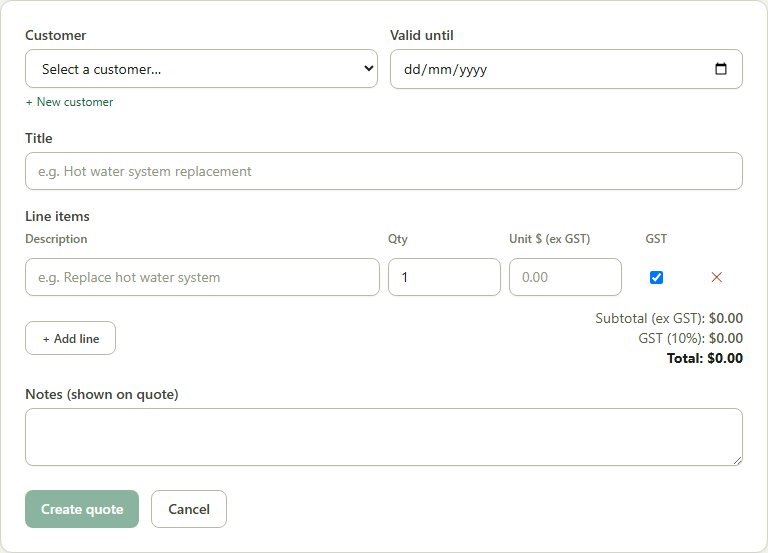
- 1Go to Sales → Quotes → New Quote (or click “New Quote” from a job's page, which pre-fills the customer and any attached resources as line items).
- 2Add line items — description, quantity and unit price — SJMS calculates GST per line automatically.
- 3Set a Valid until date and any notes to show on the quote, then click Create quote.
- 4Once it's ready, click Mark as Sent, then email it to your customer.
Good to know: When your customer accepts, click Mark Accepted and record their name — accepted quotes can be converted straight into a job.