Create an invoice
Invoices live under Sales → Invoices. Create one from scratch, or from a completed job or accepted quote.
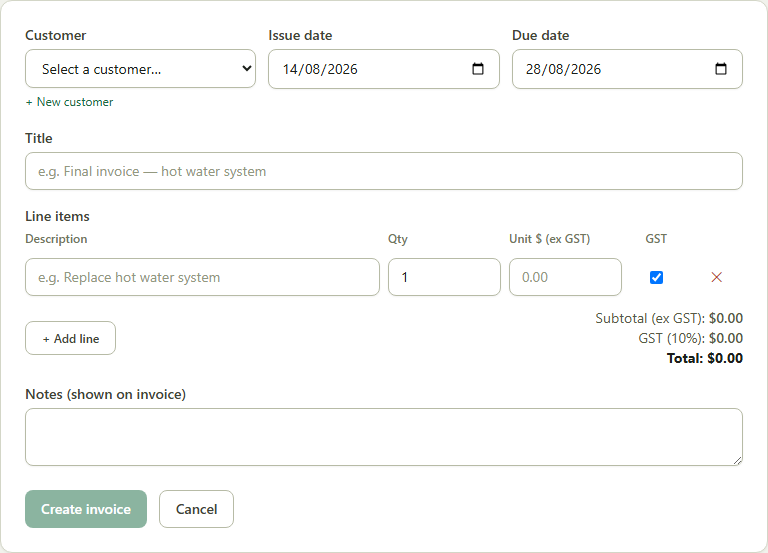
- 1Go to Sales → Invoices → New Invoice.
- 2Pick the Customer, Issue date and Due date (defaults to 14 days out).
- 3Add line items — SJMS calculates GST per line and tags the invoice to the right BAS period automatically.
- 4Add any notes to show on the invoice, then click Create invoice.
Good to know: Once sent, turn on Stripe Connect to let your customer pay online instantly — see Accept an online card payment on an invoice.