Get paid the moment the job is done
Turn on Stripe Connect once, and every invoice you send includes a secure 'Pay online' link — no more waiting on bank transfers or chasing cheques.
No credit card required · Cancel anytime · Data hosted in Sydney
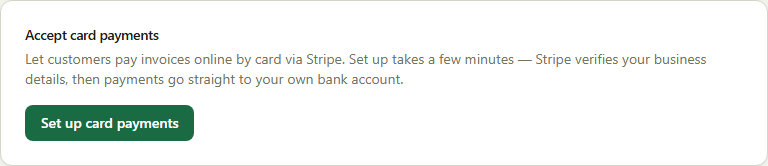
Card payments, without giving up control of your money
Built on Stripe Connect so funds land in your own bank account directly — SJMS is never in the middle of your cash flow.
Payments go straight to your bank account
SJMS uses Stripe Connect so payments go straight into your own bank account — SJMS never holds your money, and only takes its platform fee off each transaction.
A payment link on every sent invoice
Once you're connected, every sent invoice includes a secure 'Pay $X now' link — email it, text it, or share it directly, no separate payment request needed.
No login required for your customer
Your customer pays on a public, secure page with no SJMS account needed — fewer steps between sending the invoice and getting paid.
Invoices update themselves
The invoice flips to paid automatically the instant Stripe confirms the charge — no manual reconciliation, no forgetting to mark it off.
Setting up online payments
- Go to Company → Business and find the Payments card
- Complete Stripe's short onboarding — business details and your bank account
- Every invoice sent from then on includes a 'Pay online' link automatically
- The platform fee is shown up front and deducted automatically from each payment
Explore more of SJMS
Frequently asked questions
Does SJMS hold my customers' payments?
No. SJMS uses Stripe Connect, so payments go straight into your own bank account — SJMS never holds your money, and only takes its platform fee off each transaction.
Does my customer need an SJMS account to pay?
No. Your customer pays on a public, secure page with no login required — you can email them the link or share it directly.
How does an invoice get marked as paid?
Automatically — the invoice updates to paid the instant Stripe confirms the charge, so you're not manually reconciling bank transfers against invoices.
What does it cost to accept a card payment?
SJMS charges a small, transparent platform fee shown up front on top of Stripe's own processing fee — you never need to invoice for it separately.
Turn invoices into cash in hand, faster
14-day free trial, no credit card required. Quoting, dispatch, invoicing and online payments are all part of SJMS.
Start your 14-day free trial