Stop double-booking, start dispatching with confidence
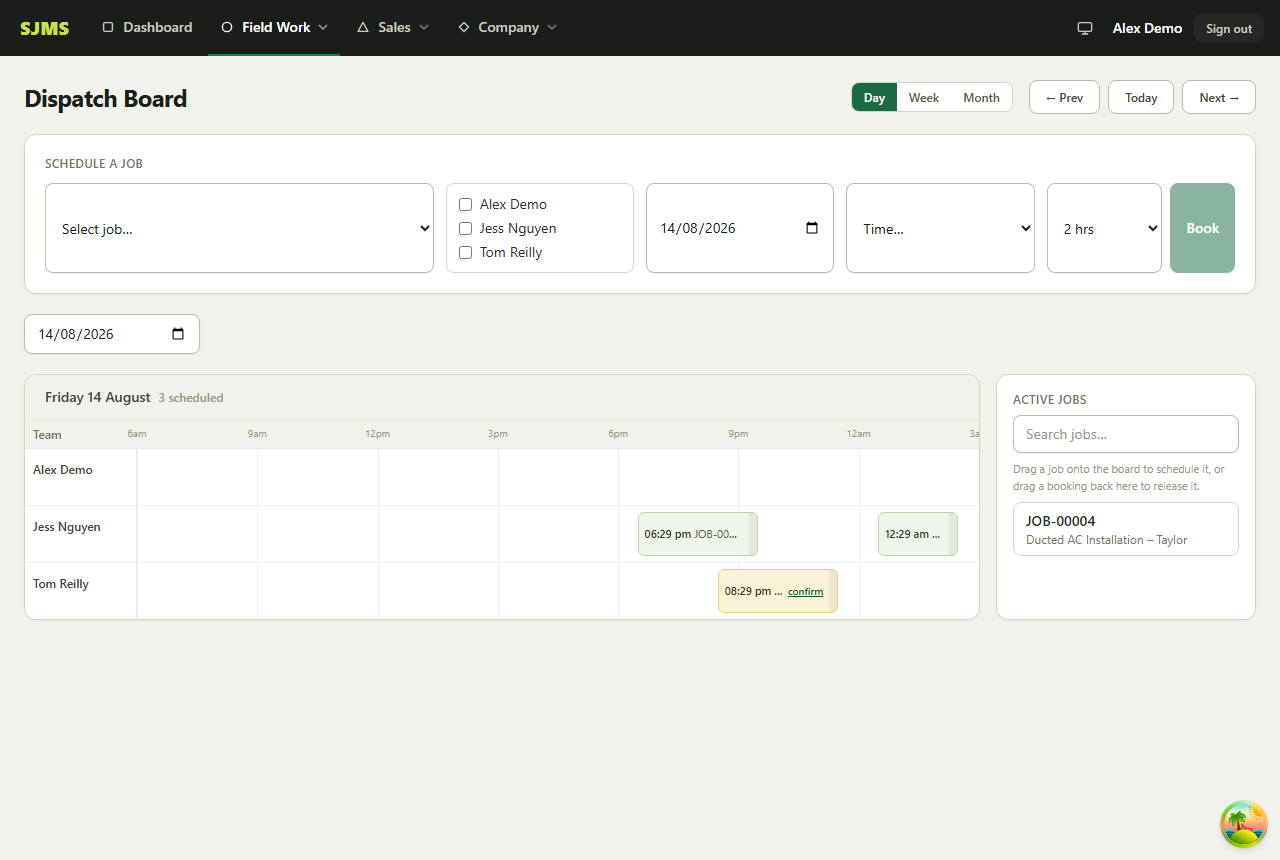
The Dispatch Board shows your whole crew's day at a glance — one row per technician, one column per hour — with drag-and-drop booking and conflict detection built in.
No credit card required · Cancel anytime · Data hosted in Sydney
Scheduling built for a moving crew, not a desk job
A dispatch board that actually reflects how field service jobs get booked, moved and rebooked in the real world.
Day, Week and Month views
Switch between Day, Week and Month to zoom in on today's bookings or plan a technician's whole week — the same board, just a different window on it.
Drag-and-drop booking and rescheduling
Drag an active job straight onto a technician's row at the time you want, then drag it again to move, resize or reassign it any time plans change.
Conflict detection built in
See when a technician is already booked before you double up their schedule — no more finding out about a clash when two customers call at the same time.
Book a whole crew, not just one tech
Multi-staff job allocation lets you assign a crew of technicians to one job, with a lead technician and the rest of the crew on site, all from the same booking.
Dispatch scheduling is on the Team plan and up
- Drag-and-drop Dispatch Board with conflict detection
- Multi-staff crews on a single job
- Jobs auto-book onto the board the moment they're saved with a schedule
- GPS check-in/out and job diary notes right from the job on-site
Explore more of SJMS
Frequently asked questions
Can I see my whole crew's schedule in one view?
Yes — the Dispatch Board shows one row per technician and one column per hour, across Day, Week or Month views, so you can see everyone's day at a glance.
Does the Dispatch Board warn me about double-booking?
Yes, it has conflict detection built in, so you can see when a technician is already booked before you double up their schedule.
How do I schedule a job onto a technician's day?
Drag the job straight onto a technician's row at the time you want, or use the 'Schedule a Job' panel to pick the job, technician(s), date and duration and click Book.
Can more than one technician be booked to the same job?
Yes — SJMS supports multi-staff job allocation, so a crew of technicians can be assigned to one job, not just a single assignee.
Give your whole crew a schedule they can trust
14-day free trial, no credit card required. Quoting, dispatch, invoicing and online payments are all part of SJMS.
Start your 14-day free trial