View your business reports
Company → Reports pulls together your invoicing numbers and team allocation in one page.
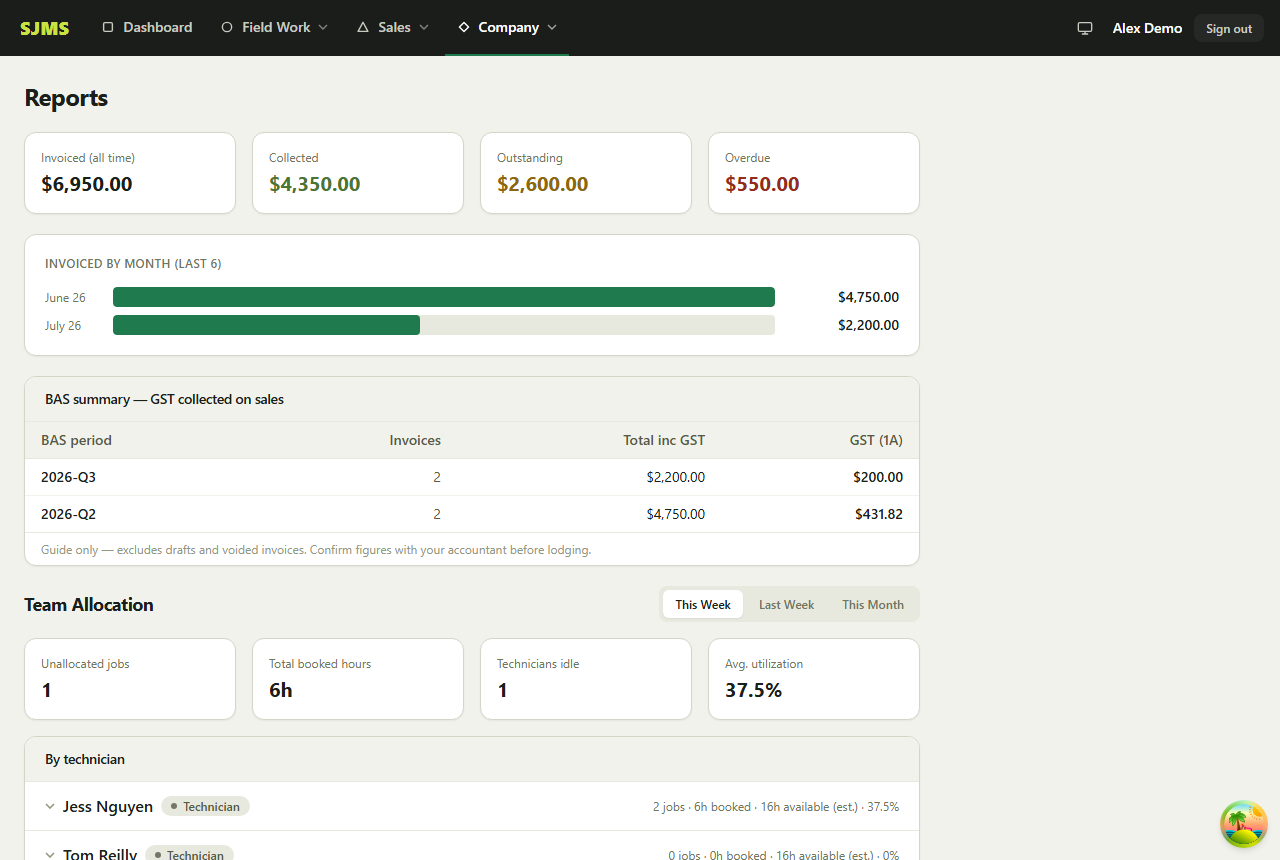
- 1Go to Company → Reports.
- 2The top numbers show total invoiced, collected, outstanding and overdue amounts.
- 3The revenue chart breaks down invoiced totals by month for the last 6 months.
- 4The BAS summary groups GST collected by BAS period — handy when it's time to lodge.
- 5Scroll down for the team allocation report, showing how jobs are spread across your crew.
Good to know: Draft and voided invoices are excluded from every number on this page.